> ## Documentation Index
> Fetch the complete documentation index at: https://help.usesheer.com/llms.txt
> Use this file to discover all available pages before exploring further.
# Sheer Chrome Extension
View influencer analytics and manage shortlists directly while browsing profiles. Instantly view accurate influencer and audience analytics while browsing profiles, right inside your browser.
Whether you’re scouting for your next collaboration or refining your campaign strategy, the Sheer Chrome Extension brings your influencer data directly to you, streamlining research and decision-making without leaving the page.
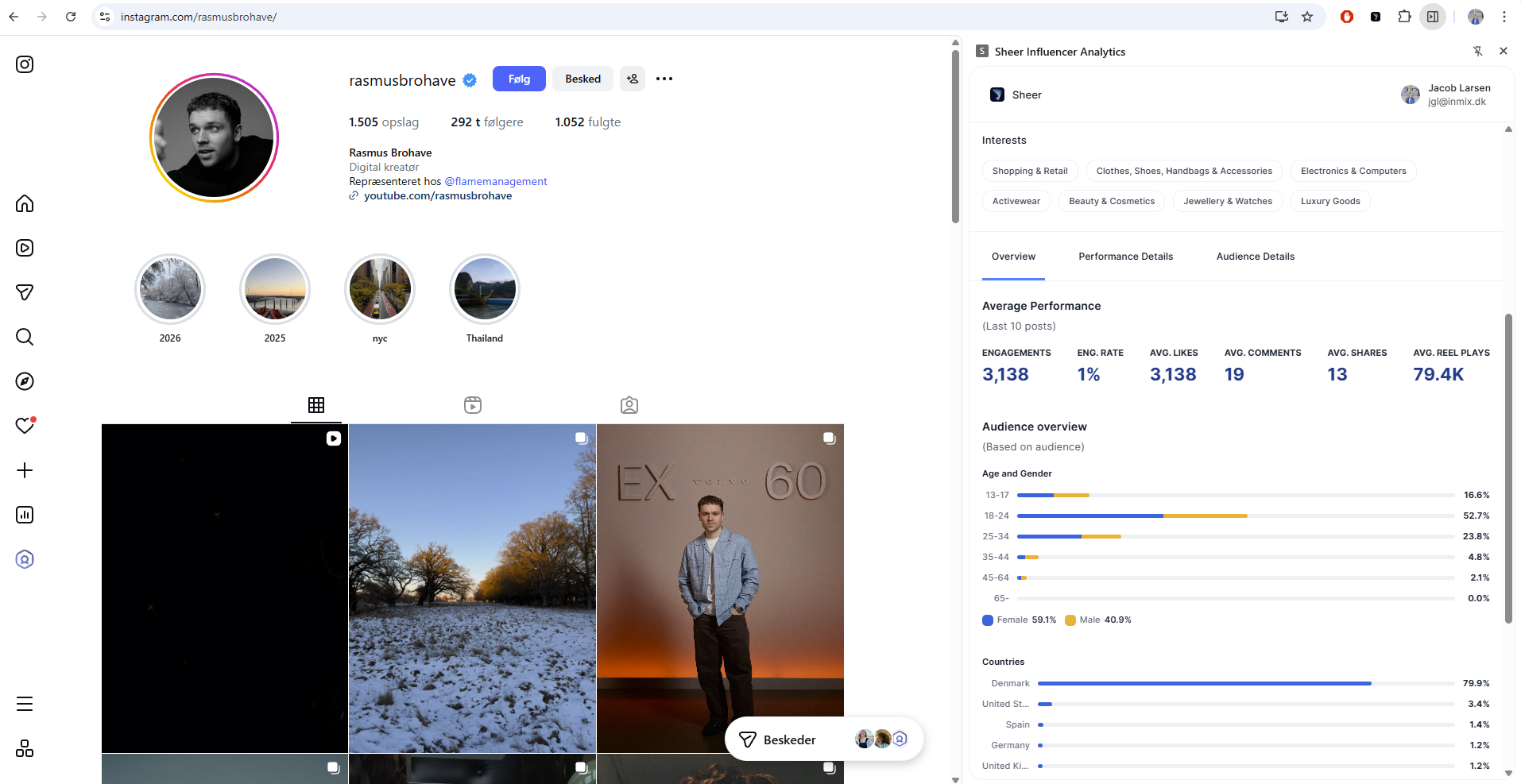 **🛠 How It Works:**
* 1️⃣ Install the Sheer Chrome Extension [**Here**](https://chromewebstore.google.com/detail/sheer-influencer-analytic/jnbahefhnoolafjkbagcjmmgakjjjmgj?utm_source=item-share-cb\&pli=1)**.**
* 2️⃣ Log in with your licensed Sheer account.
* 3️⃣ Browse profiles as usual — open the extension to view real-time analytics and add creators to your shortlists.
**🚀 Tips and tricks:**
* Pin the Sheer Chrome Extention to have it readily available when browsering profiles online.
1. Look at the top-right corner of your browser and click the **puzzle-shaped “Extensions”** button.
2. Click the **pin icon** to keep the Sheer Browser Extension always visible.
* Adjust the size of the browser extention to fit your set-up.
1. **Open the Chrome Extension** - Click on the extension icon in your browser.
2. **Resize the Window** - Hover over the separation line until your cursor changes to a double-sided arrow.
3. **Drag to Adjust** - Click and drag the line to resize the extension to your preferred width.
**🛠 How It Works:**
* 1️⃣ Install the Sheer Chrome Extension [**Here**](https://chromewebstore.google.com/detail/sheer-influencer-analytic/jnbahefhnoolafjkbagcjmmgakjjjmgj?utm_source=item-share-cb\&pli=1)**.**
* 2️⃣ Log in with your licensed Sheer account.
* 3️⃣ Browse profiles as usual — open the extension to view real-time analytics and add creators to your shortlists.
**🚀 Tips and tricks:**
* Pin the Sheer Chrome Extention to have it readily available when browsering profiles online.
1. Look at the top-right corner of your browser and click the **puzzle-shaped “Extensions”** button.
2. Click the **pin icon** to keep the Sheer Browser Extension always visible.
* Adjust the size of the browser extention to fit your set-up.
1. **Open the Chrome Extension** - Click on the extension icon in your browser.
2. **Resize the Window** - Hover over the separation line until your cursor changes to a double-sided arrow.
3. **Drag to Adjust** - Click and drag the line to resize the extension to your preferred width.