> ## Documentation Index
> Fetch the complete documentation index at: https://help.usesheer.com/llms.txt
> Use this file to discover all available pages before exploring further.
# Introduction
> Welcome to the Sheer Help Center - your go-to guide for mastering influencer marketing with Sheer. Here, you’ll learn how to unlock the full potential of the platform and run smarter, more effective influencer campaigns for your brand.
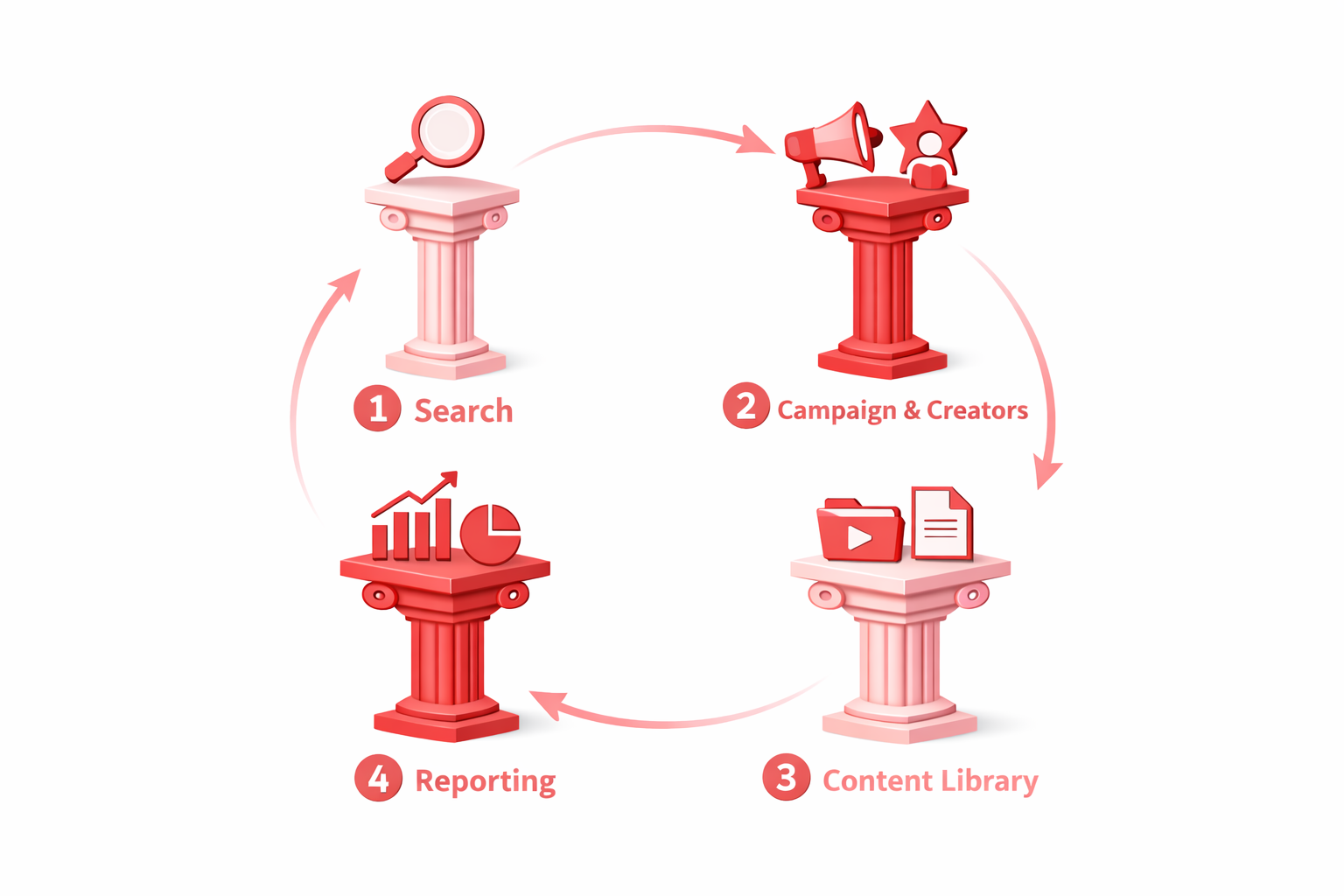
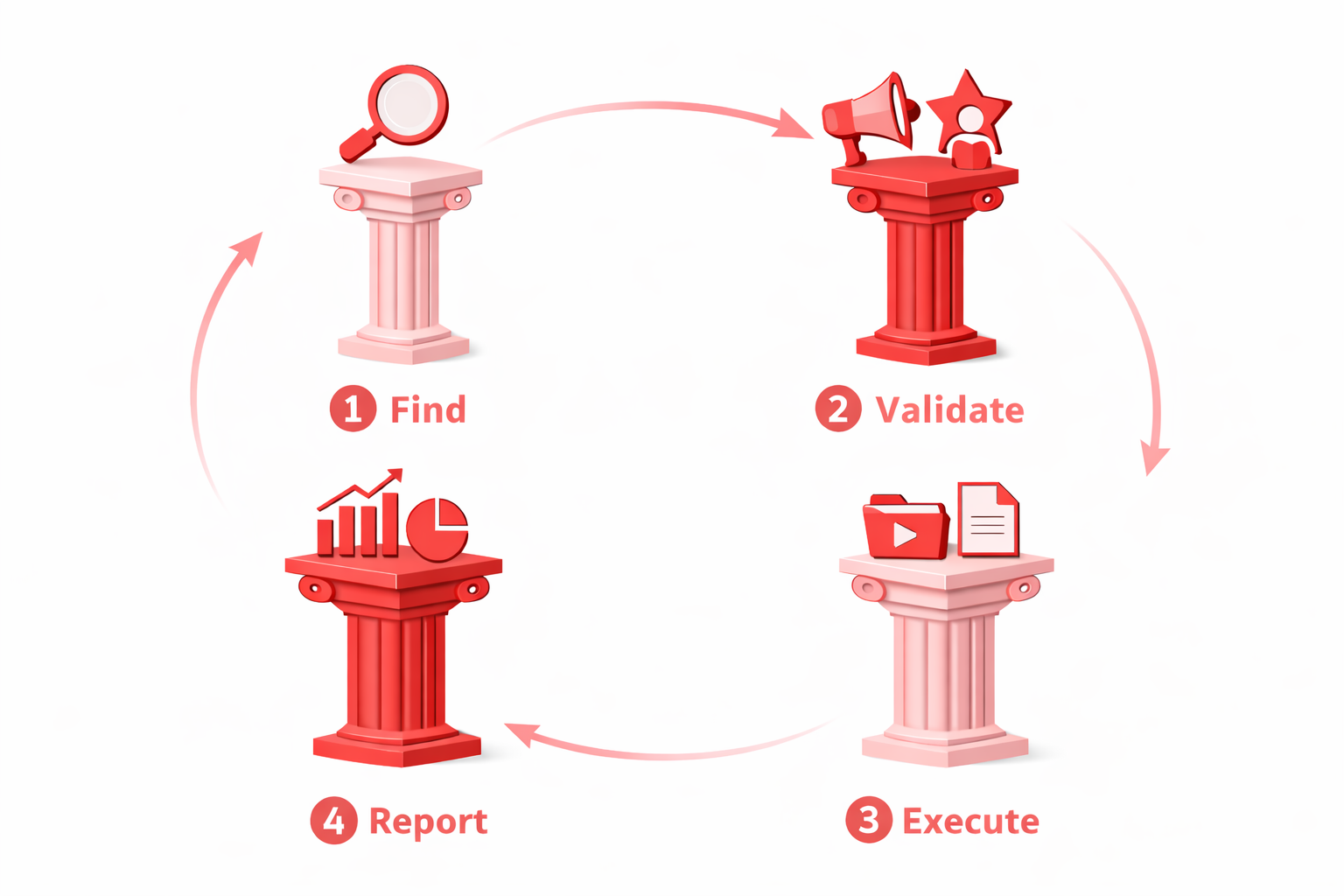
## The four pillars of Sheer 📘
Sheer gives you everything you need to run influencer campaigns from A to Z — from finding the right creators and validating their data to managing content with your team or partners and tracking performance through live, automatically updated reports.
Think of the help center as your personalized guide for unlocking the full potential of your influencer marketing activities.
 ## Overview of Sheer Help Center
To make things easier, here are a few helpful links to get you started right away. Simply click on one of the cards below to begin.
Find creators that match your marketing activities using Sheer Search tools to easily navigate millions of public creators with third-party data estimates for initial evaluation.
Verify all creator data through detailed Mediakits with live-updated metrics of creator performance and audience demographics based on first-party data.
Execute your campaign by creating your campaign, adding your creators and managing all campaign content and content approval processes directly in the Sheer Content Library.
Create instant reports that automatically track campaign content, with the potential to deep-dive into the first-party data analytics of creator performance or overall campaign results.
## Help Center for Creators
For resources to send to your creators, such as guides for onboarding and connecting to Sheer, uploading content directly to your Sheer Content Library, account help & more - Check out our Creator Help Center with various guides that you can send directly to the creator to save both you and them time!
The Sheer Creator Help Center is here to guide you through the steps of setting up and managing a Sheer creator account. Whether you’re just getting started or need help reconnecting your Instagram and TikTok, we’ve got you covered with detailed instructions and resources.
## Overview of Sheer Help Center
To make things easier, here are a few helpful links to get you started right away. Simply click on one of the cards below to begin.
Find creators that match your marketing activities using Sheer Search tools to easily navigate millions of public creators with third-party data estimates for initial evaluation.
Verify all creator data through detailed Mediakits with live-updated metrics of creator performance and audience demographics based on first-party data.
Execute your campaign by creating your campaign, adding your creators and managing all campaign content and content approval processes directly in the Sheer Content Library.
Create instant reports that automatically track campaign content, with the potential to deep-dive into the first-party data analytics of creator performance or overall campaign results.
## Help Center for Creators
For resources to send to your creators, such as guides for onboarding and connecting to Sheer, uploading content directly to your Sheer Content Library, account help & more - Check out our Creator Help Center with various guides that you can send directly to the creator to save both you and them time!
The Sheer Creator Help Center is here to guide you through the steps of setting up and managing a Sheer creator account. Whether you’re just getting started or need help reconnecting your Instagram and TikTok, we’ve got you covered with detailed instructions and resources.