> ## Documentation Index
> Fetch the complete documentation index at: https://help.usesheer.com/llms.txt
> Use this file to discover all available pages before exploring further.
# Re-enable Instagram Insights Access
> Fix missing Instagram data by granting Sheer permission to read your insights.
If Sheer isn't showing your Instagram data, you've likely turned off insights access during the initial connection. Here's how to fix it.
## Why this happens
When you first connect Instagram to Sheer, Instagram asks you to approve two permissions. One of them — **Access and manage insights** — is optional and can be toggled off. If it's off, Sheer can't read your analytics.
## How to fix it
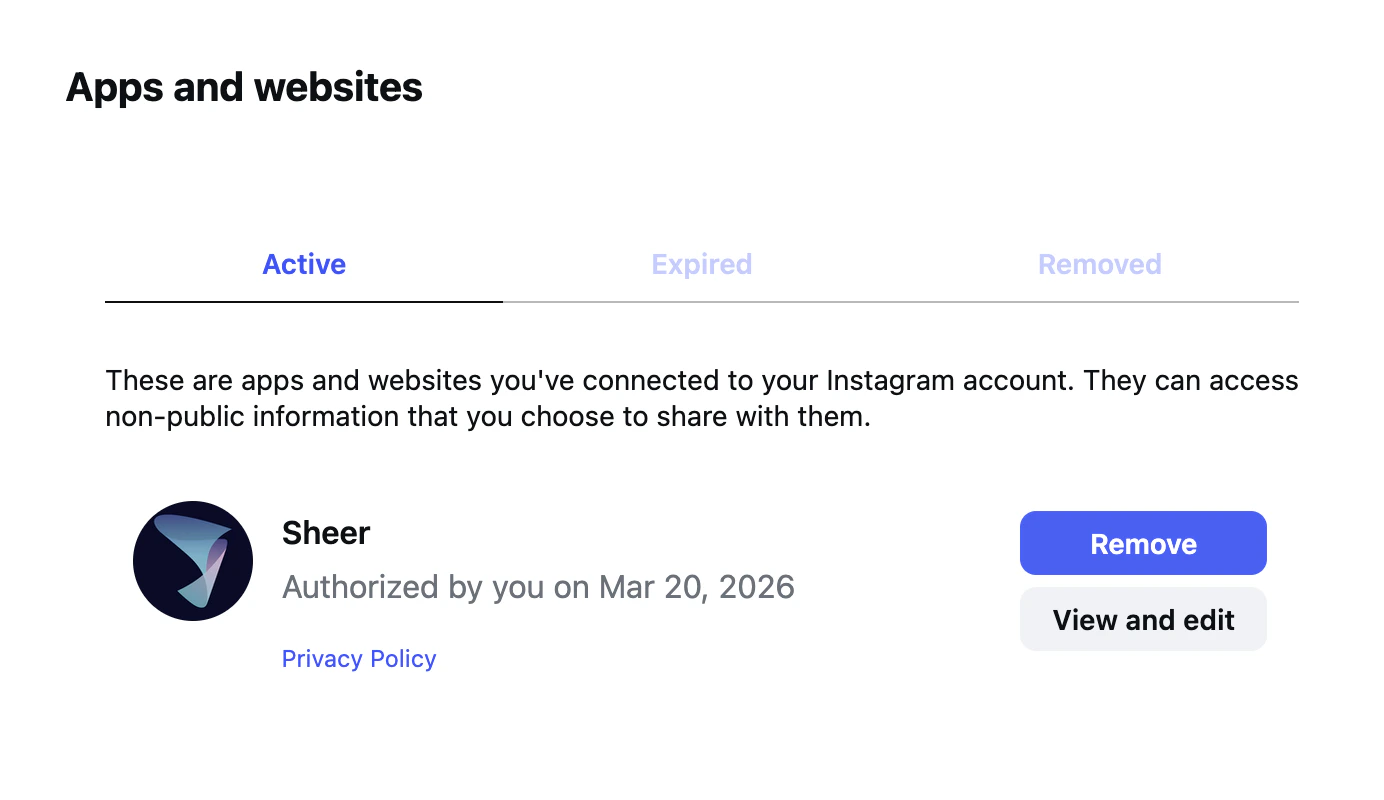
Go to [instagram.com/accounts/manage\_access](https://www.instagram.com/accounts/manage_access/) and make sure you're on the **Active** tab.
Locate **Sheer** in your list of connected apps and click the **View and edit** button.
 Under **Info you're sharing with this app**, toggle **Manage insights of a business** to **ON**.
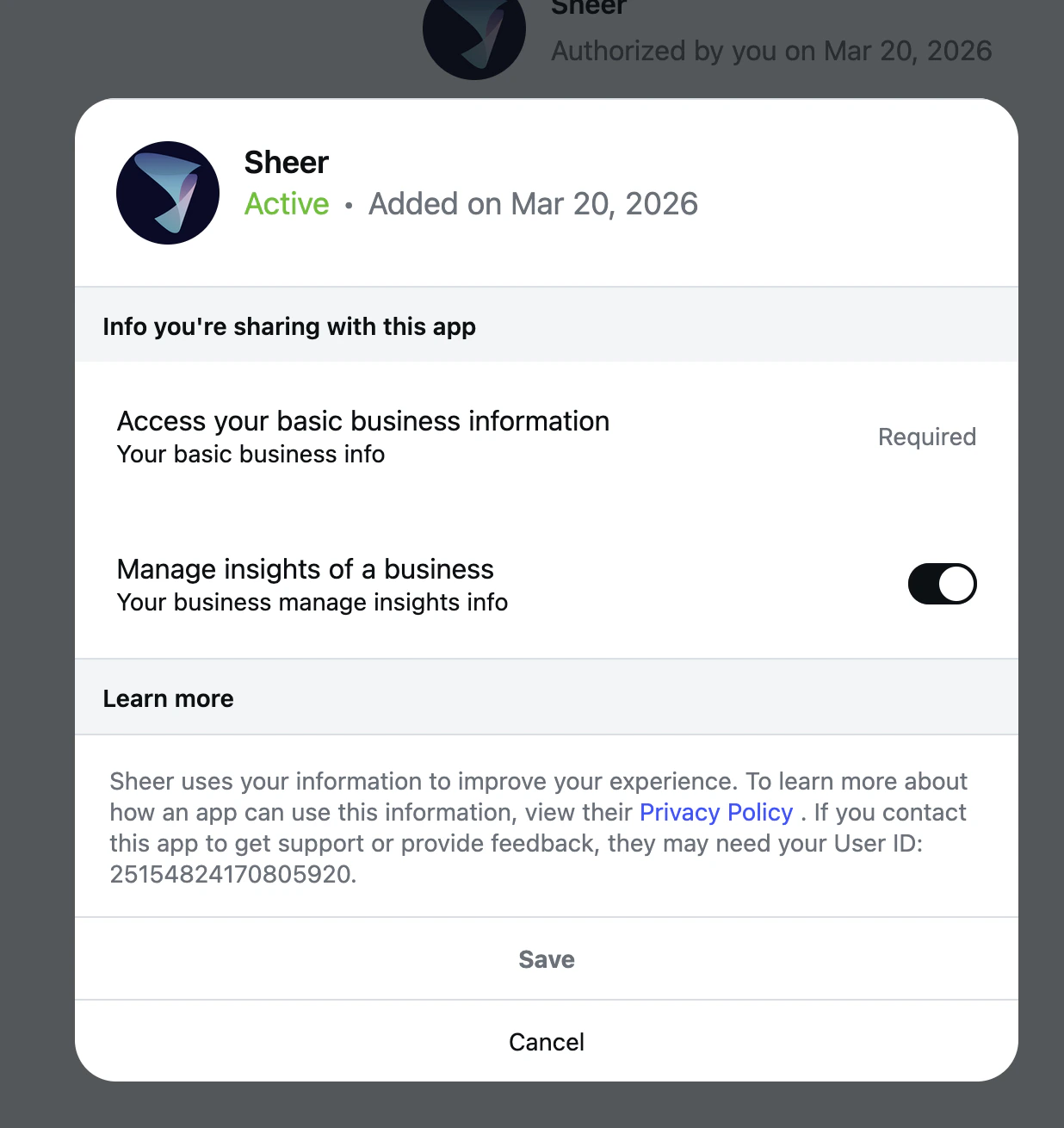 Hit **Save** at the bottom of the panel. Head back to Sheer — your data should appear within a few minutes.
If you've confirmed insights access is on and data still isn't showing up, reach out to us at
[support@sheer.dk](mailto:support@sheer.dk).
Hit **Save** at the bottom of the panel. Head back to Sheer — your data should appear within a few minutes.
If you've confirmed insights access is on and data still isn't showing up, reach out to us at
[support@sheer.dk](mailto:support@sheer.dk).