> ## Documentation Index
> Fetch the complete documentation index at: https://help.usesheer.com/llms.txt
> Use this file to discover all available pages before exploring further.
# How to handle Trial Reels
> Learn how to handle Instagram trial reels in Sheer.
Trial reels let you handle Instagram Reels that are experimental so they don't affect your performance metrics. Trial reels are excluded from analytics, keeping your numbers clean and representative.
## Why handle trial reels?
Sometimes you want to test a new format, hook, or topic without it skewing your analytics. Any reel
handled as a trial is excluded from your performance data and shown with a Trial Reel badge in the UI.
## How to mark a reel as a trial reel
Navigate to your **Creator Profile**.
Click on the reel you want to mark as a trial.
In the detail modal, click **Edit**.
Check the **Trial reel** checkbox at the bottom of the form and click **Save**.
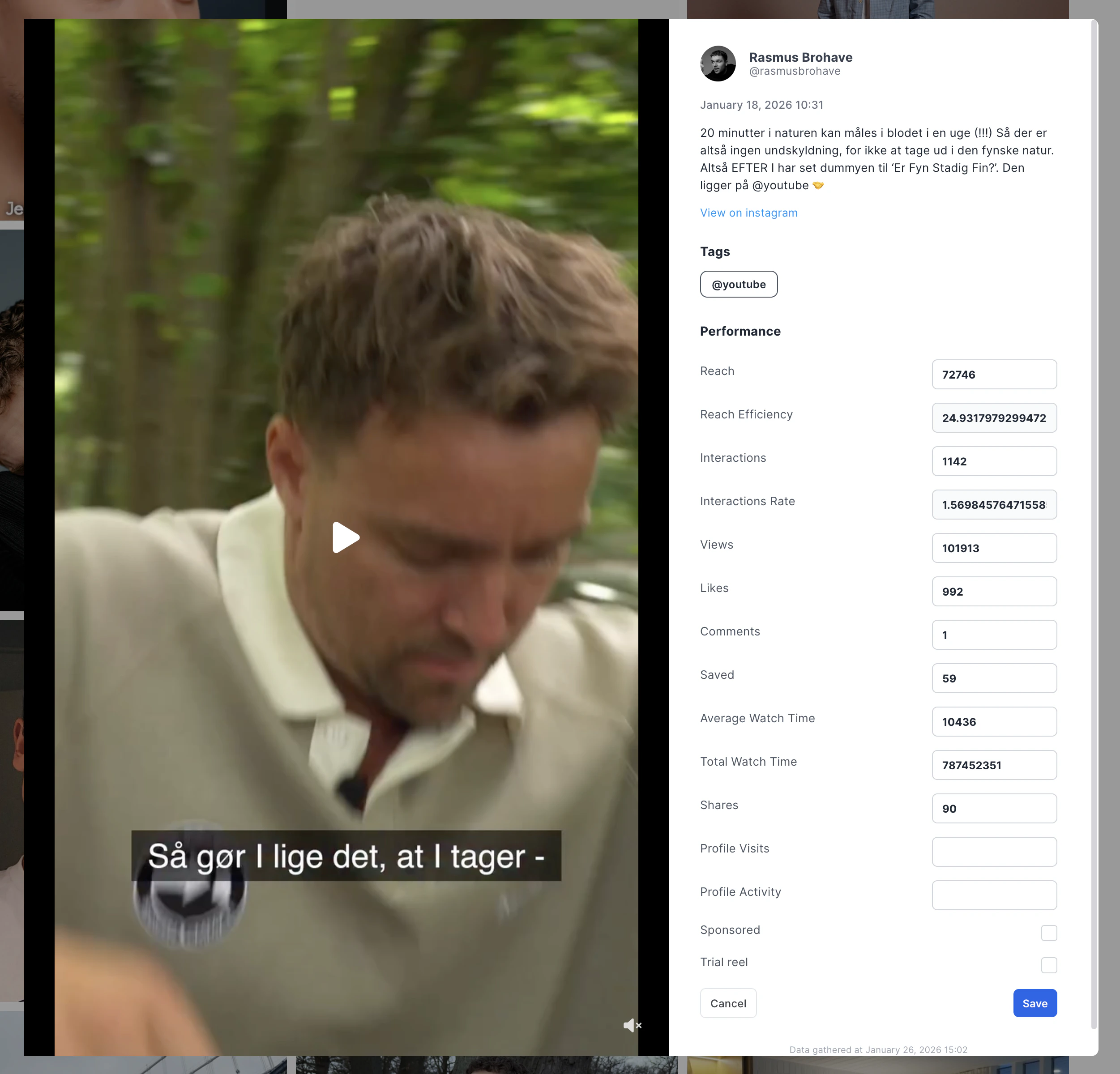 The reel will now display a **Trial Reel** badge and be excluded from your analytics.
## How to view trial reels
By default, trial reels are hidden from the performance view. To see them:
Navigate to the **Performance** tab on your Creator Profile.
Open the filter/custom view popover.
Turn on the **Trial reels** switch to include them in the view.
## Good to know
* Trial reels only apply to **Reels**. Not posts, stories, or other media types.
* Reels must be **manually tagged** as trials. Currently they are not detected automatically.
* Tagging is **reversible**. Incheck the checkbox to restore the reel to normal status.
* Only the creator (or a talent manager) can tag their own reels.
The reel will now display a **Trial Reel** badge and be excluded from your analytics.
## How to view trial reels
By default, trial reels are hidden from the performance view. To see them:
Navigate to the **Performance** tab on your Creator Profile.
Open the filter/custom view popover.
Turn on the **Trial reels** switch to include them in the view.
## Good to know
* Trial reels only apply to **Reels**. Not posts, stories, or other media types.
* Reels must be **manually tagged** as trials. Currently they are not detected automatically.
* Tagging is **reversible**. Incheck the checkbox to restore the reel to normal status.
* Only the creator (or a talent manager) can tag their own reels.