

Why this happens
When you first connect Instagram to Sheer, Instagram asks you to approve two permissions. One of them — Access and manage insights — is optional and can be toggled off. If it’s off, Sheer can’t read your analytics.How to fix it
1
Open your Instagram app settings
Go to instagram.com/accounts/manage_access and make sure you’re on the Active tab.
2
Find Sheer and click View and edit
Locate Sheer in your list of connected apps and click the View and edit button.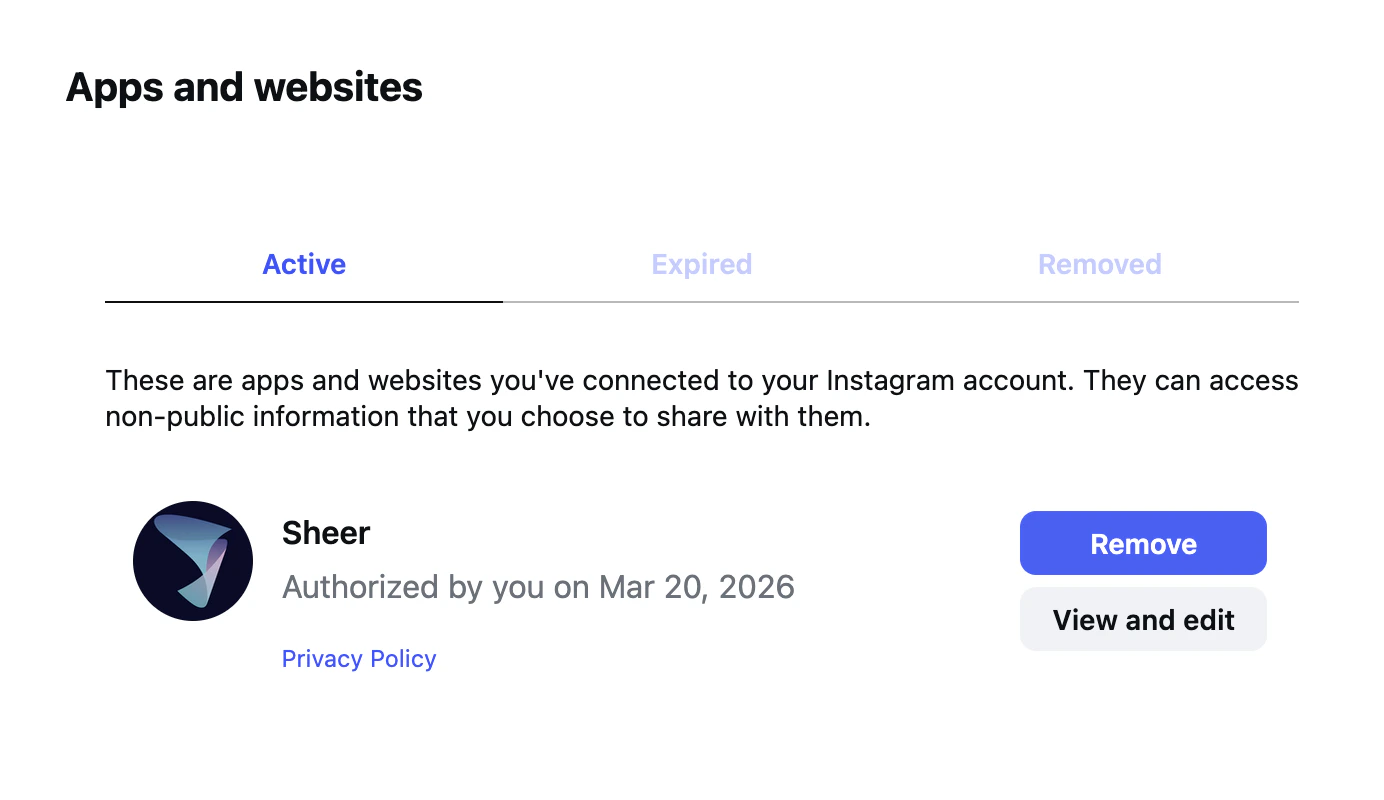
3
Toggle on Manage insights
Under Info you’re sharing with this app, toggle Manage insights of a business to ON.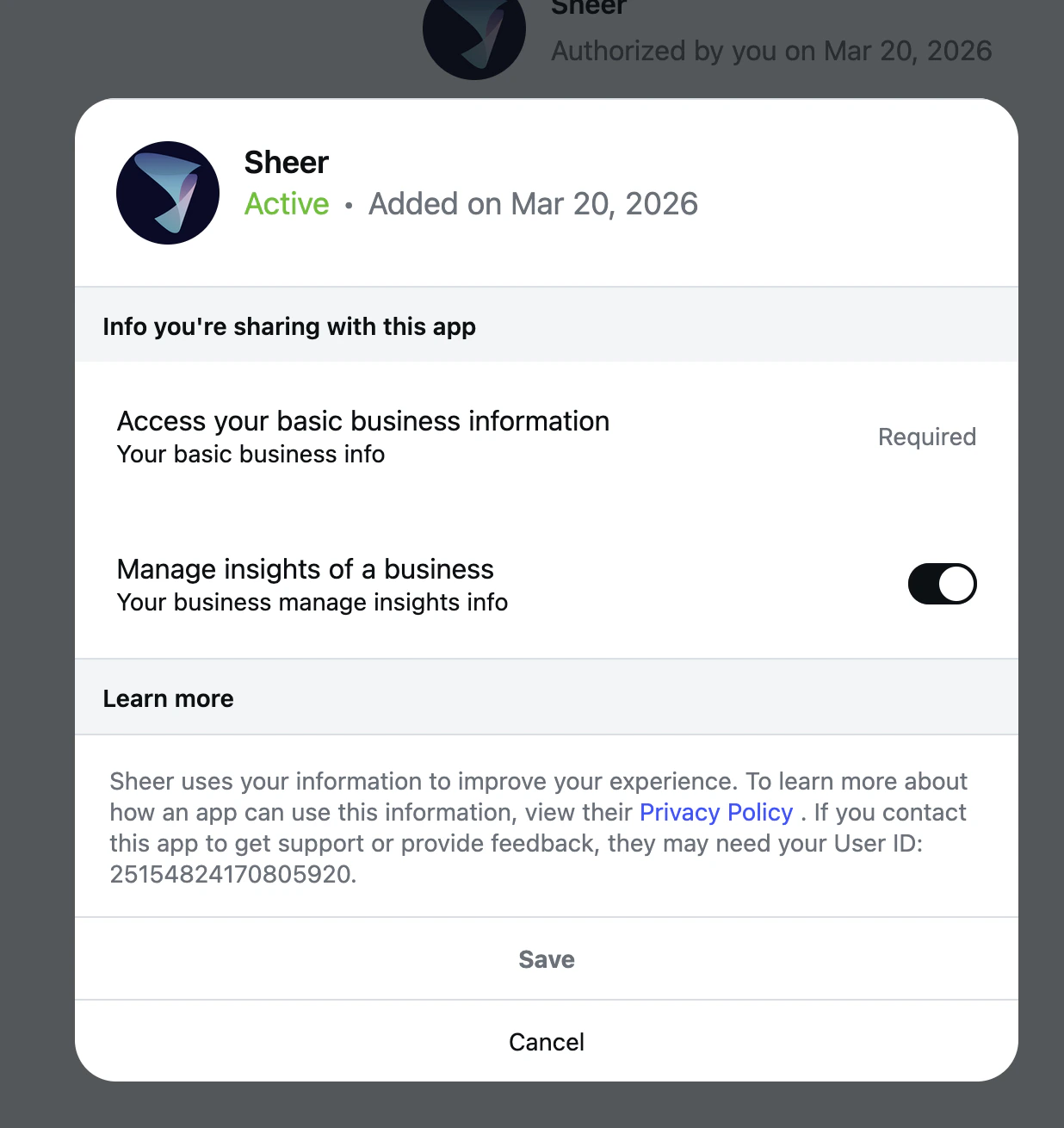
4
Click Save
Hit Save at the bottom of the panel. Head back to Sheer — your data should appear within a few minutes.
If you’ve confirmed insights access is on and data still isn’t showing up, reach out to us at
support@sheer.dk.