

-
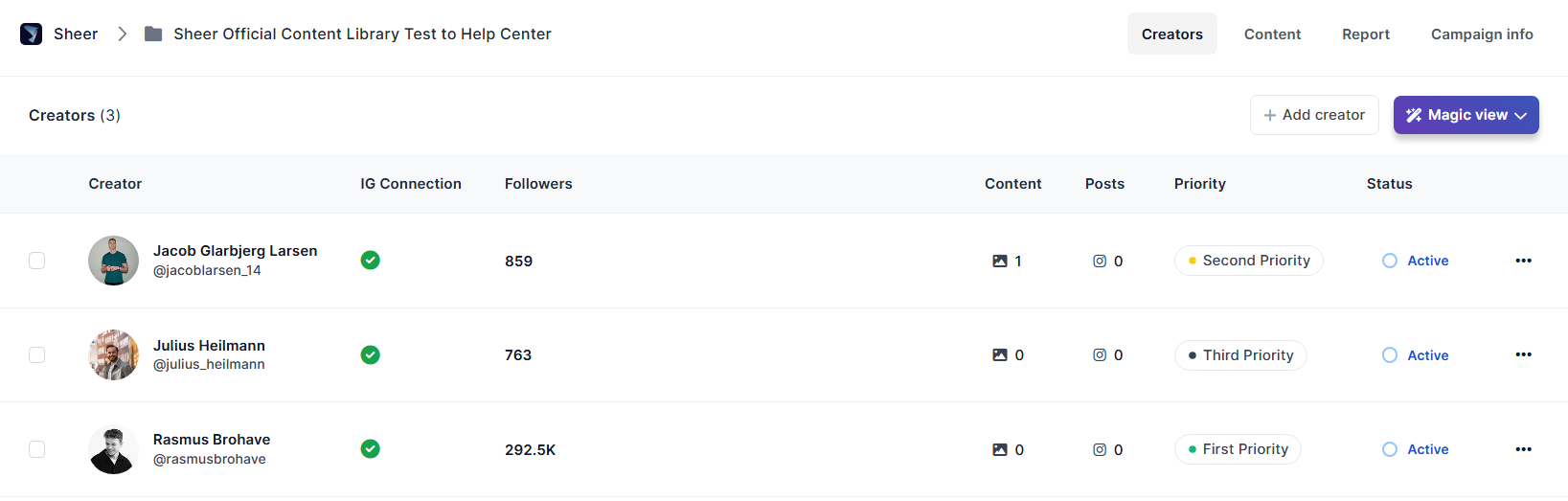
Connection Status - A creator must be connected for Sheer to read their stats and show their Mediakit:
- Connected - Sheer reads the creator’s stats and they update nightly.
- Missing permissions - The creator connected but turned off a permission Sheer needs, so stats don’t update.
- Reconnect required - The platform no longer accepts Sheer’s access, for example after a password change. The creator must reconnect.
- Not connected - The creator has a Sheer profile but no social account linked to it.
- Content - Amount of content pieces in the Content Library assigned to the creator.
- Posts - Amount of content pieces in the report assigned to the creator.
- Priority - Priority can be assigned to each creator.
-
Creator’s Campaign Status - Easily see whether an influencer is currently active on a campaign.
- Important: A creator must be assigned as Active to be visible in the Content Library and in the report.