

Before you start
- Your Instagram must be a professional account (Business or Creator). Personal accounts don’t expose insights. How to switch.
- Use a laptop or desktop computer.
- Know which Instagram account you’re logged in to in your browser. Sheer connects the account you authorise.
Connect
1
Click Connect with Instagram
During onboarding, click Connect next to Instagram on the Connect your social accounts screen. Later, use Connect with Instagram on your Integrations page under Instagram.You’re sent to Instagram’s authorisation screen.
2
Check you're on the right account
The screen shows which Instagram account you’re about to connect. If it’s the wrong one, click the three dots in the top-right corner, choose Change account and log in with the correct one.
3
Keep both permissions on
Instagram asks you to approve two permissions: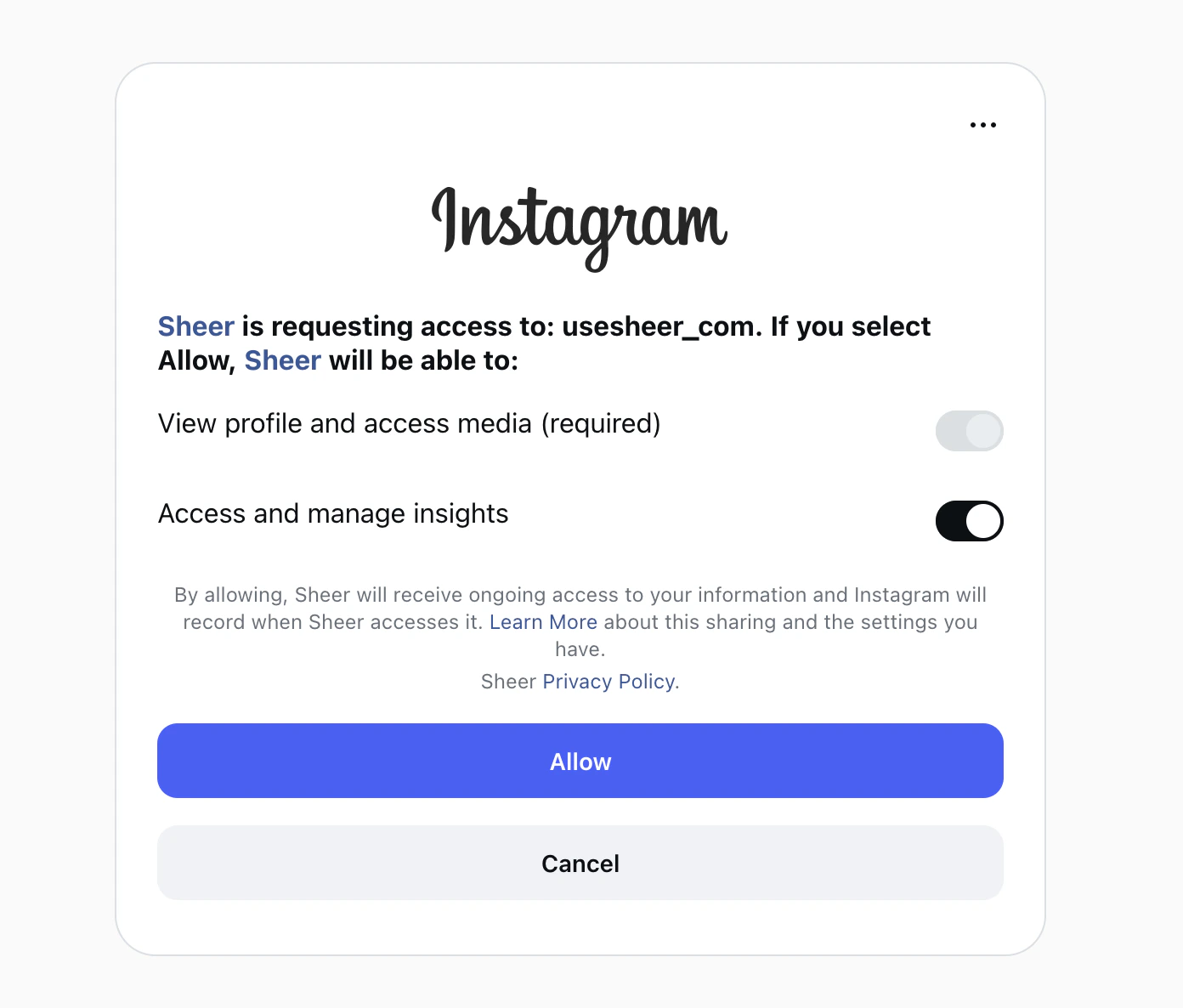
- View profile and access media. Always on.
- Access and manage insights. Has a toggle. Keep it on.
4
Click Allow
You’re sent back to Sheer and your profile starts syncing.
How to know it worked
On your Integrations page, your Instagram account appears under Instagram with a Connected badge. Your profile picture, follower count and recent posts show up within a few minutes. Older posts and full insights can take a bit longer on the first sync.Still not working?
- The account shows “Missing permissions”. You turned off insights access. Turn it back on.
- The wrong account connected. Connect the right Instagram account.
- Instagram says the account type isn’t supported. Your account is still personal. Switch to a professional account, then connect again.
- Anything else. Email support@usesheer.com with your Instagram username.