

Use a laptop or desktop computer.
Why you need to reconnect
Sheer keeps your account connected by refreshing its access automatically. The platform stops accepting that access when you:- change your password,
- remove Sheer from your connected apps on Instagram, TikTok or Google,
- or the platform let the access expire on its own.
Reconnect
1
Open your Integrations page
Go to app.usesheer.com/settings/sheer_user/integrations. If you’re logged out, enter your email and the 6-digit code we send you. Sheer has no passwords.Accounts that need attention show Reconnect required or Missing permissions.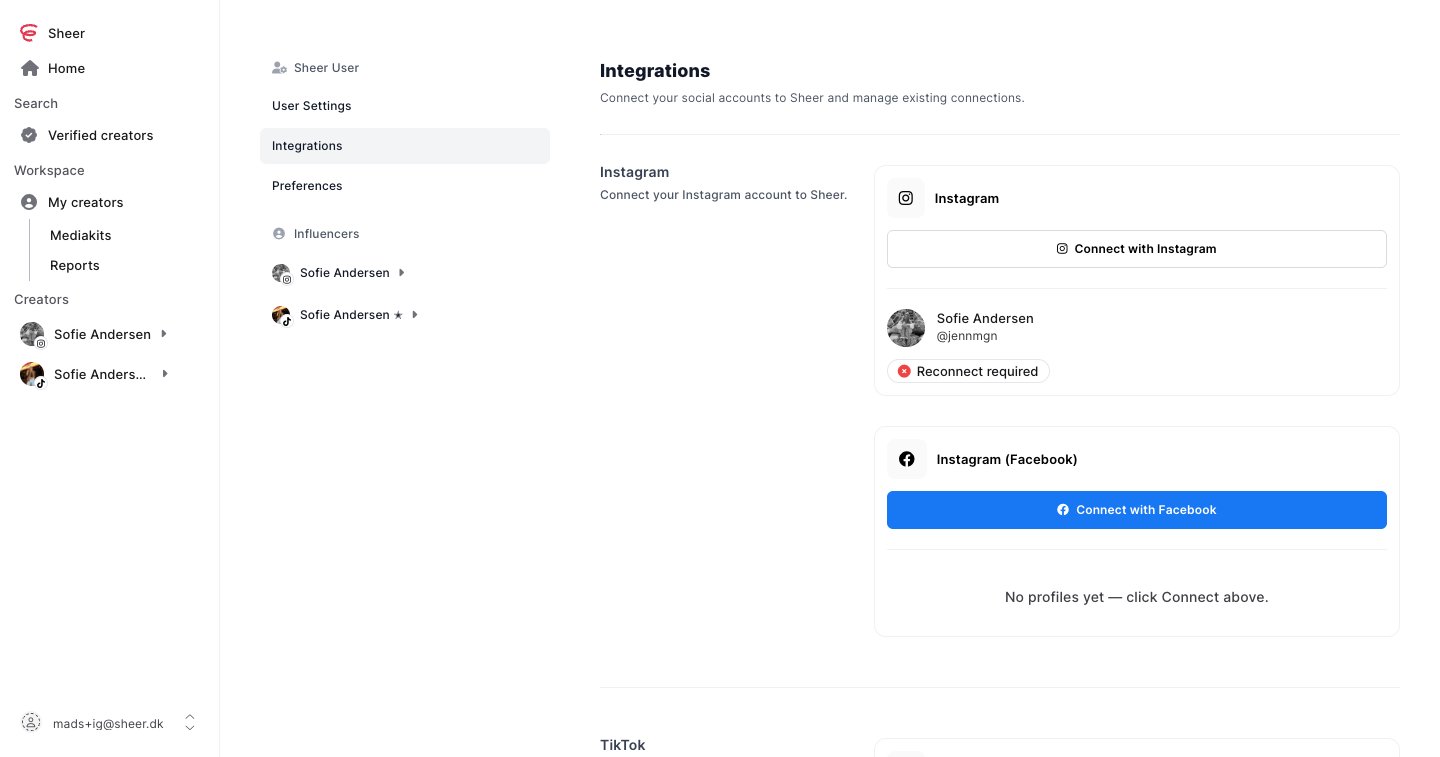
2
Click the Connect button for that platform
Use the same button you connected with the first time:
- Connect with Instagram if you connected with Instagram login.
- Connect with Facebook if you connected through a Facebook Page.
- Connect with TikTok or Connect with YouTube.
3
Log in and approve every permission
Log in with the same social account as before. Keep every permission enabled, then click Allow, Authorize or Continue.
How to know it worked
The badge next to the account changes to Connected and the page shows a confirmation. Your stats catch up within a few minutes. Brands you work with see the new status right away.Still not working?
- The badge still says Missing permissions. You turned off a permission during login. Instagram: turn insights access back on. TikTok or YouTube: reconnect again and keep every permission enabled.
- A different account connected. Connect the right Instagram account, or use Switch account on the TikTok login screen.
- Instagram isn’t sending you a login code. See Not receiving emails from Instagram.
- You can’t log in to Sheer. Sheer has no passwords. Enter your email on the login page and use the code we email you. Check spam if it doesn’t arrive.
- Anything else. Email support@usesheer.com with your username on the platform.