

Use a laptop or desktop computer.
Where to connect
New users connect during onboarding. Everyone else connects from the Integrations page: click your email in the bottom-left corner, choose User settings, then Integrations. Or go straight to app.usesheer.com/settings/sheer_user/integrations. The same page shows the status of every account you’ve connected.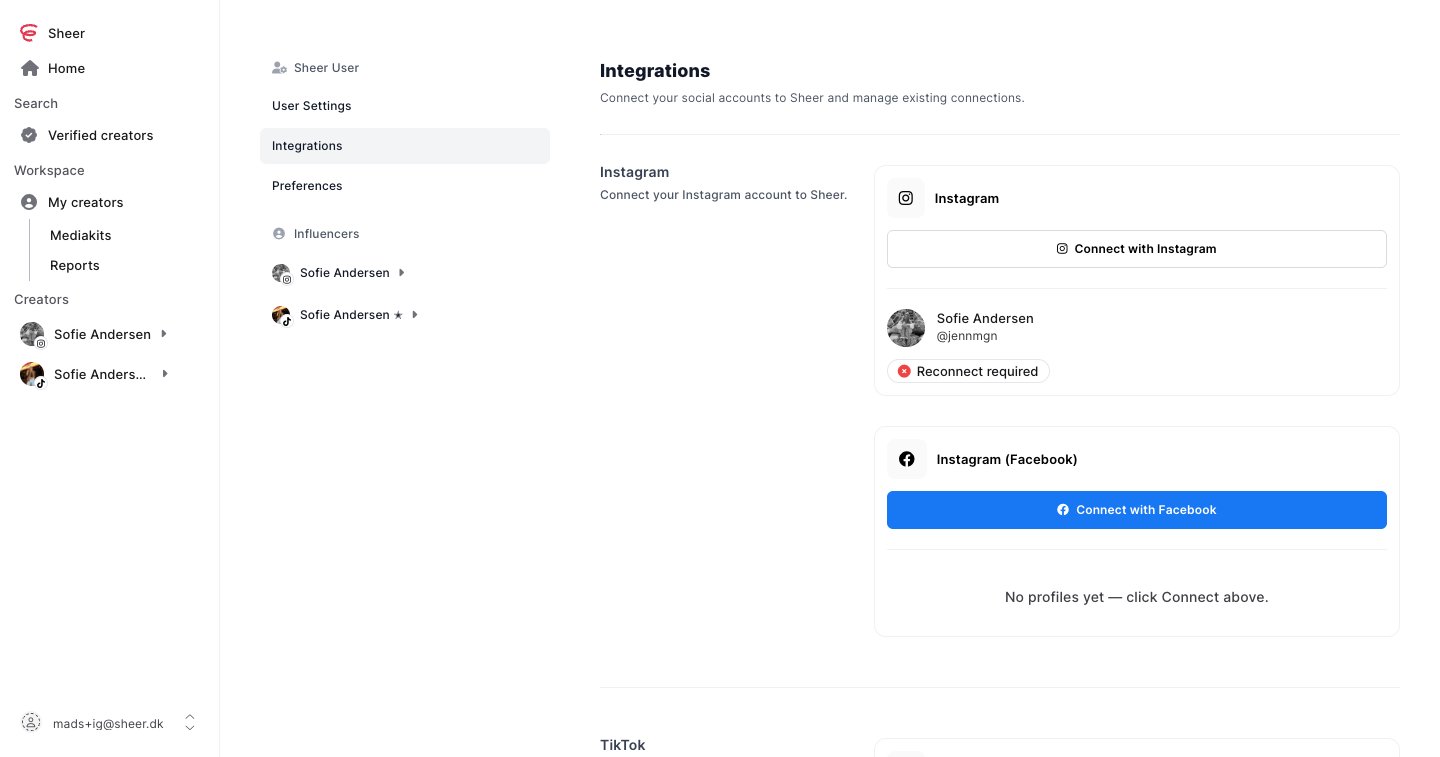
Pick your platform
Log in with Instagram. The quickest way for most creators.
Instagram via Facebook
Log in with Facebook. Use this if you manage several Instagram accounts, or want repost and link-click stats.
TikTok
Log in with TikTok.
YouTube
Log in with the Google account that owns your channel.
Instagram: Login with Instagram or Login with Facebook?
Both connect an Instagram professional account (Business or Creator) and give Sheer the same core data. Login with Facebook adds a few things.
Our recommendation: use Login with Instagram unless you need one of the extras. It has fewer steps and no Facebook Page requirement.
Full list of what Sheer reads from Instagram
Full list of what Sheer reads from Instagram
Shared by both logins
- Profile: username, name, bio, website, follower, following and post counts, profile picture. Updates daily.
- Audience: follower and engaged-audience demographics by gender and age, city and country.
- Posts and reels: caption, type, media, permalink, posted time, like and comment counts. Recent posts update daily.
- Stories: fetched while live. Insights are refreshed once more as the story expires.
- Post and reel insights: reach, views, total interactions, likes, comments, shares, saves, follows, profile visits, profile activity, reel watch time and average watch time, reel skip rate.
- Story insights: reach, views, total interactions, shares, follows, profile visits, profile activity, navigation (forward, back, exit, next story), replies.
- Every Instagram account linked to one of your Facebook Pages, connected in one login.
- Repost counts on posts, reels and stories.
- Link sticker clicks on stories.