

Open your influencer settings
1
Go to My creators
Log in to Sheer and click My creators in the left-hand menu.
2
Open Influencer settings
Click the three dots at the end of your row and choose Influencer settings.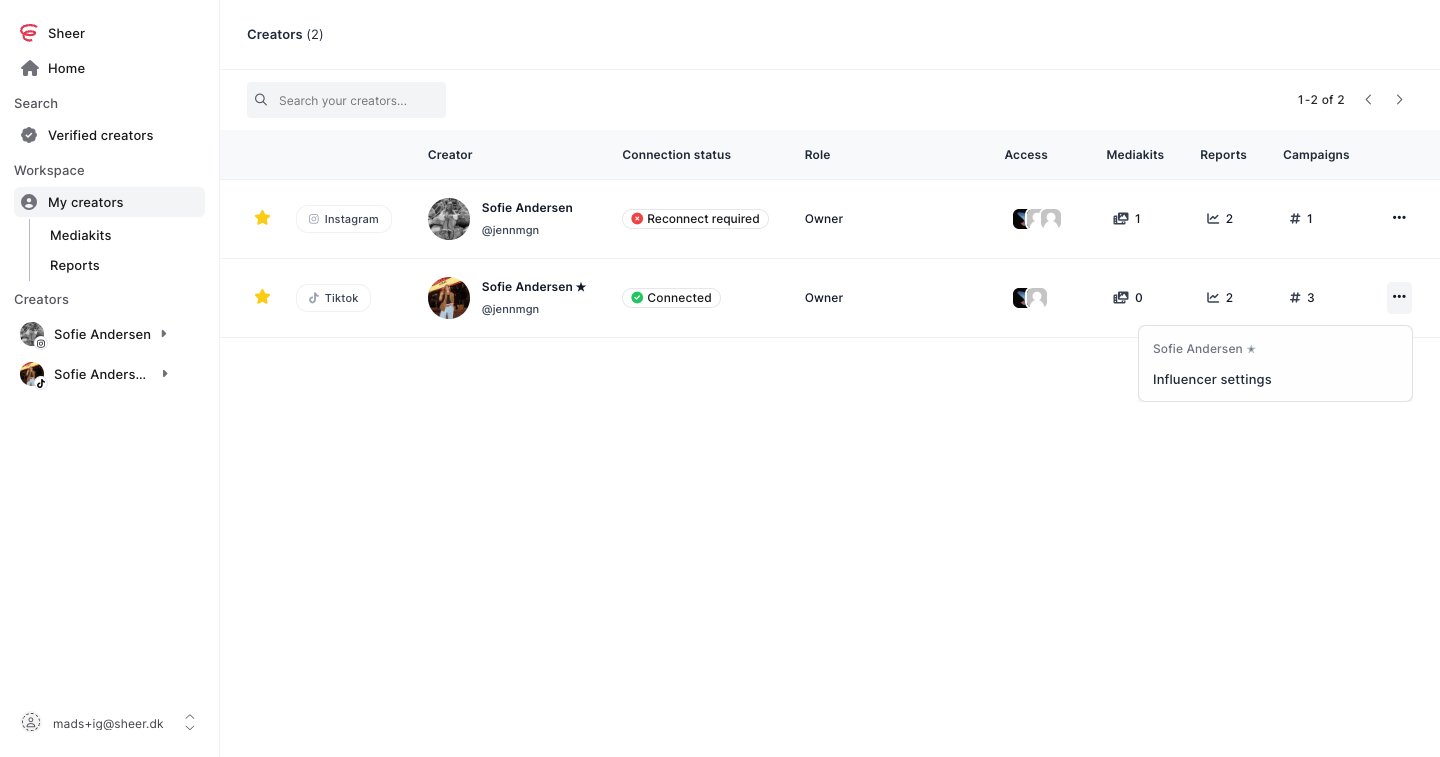
What to fill in
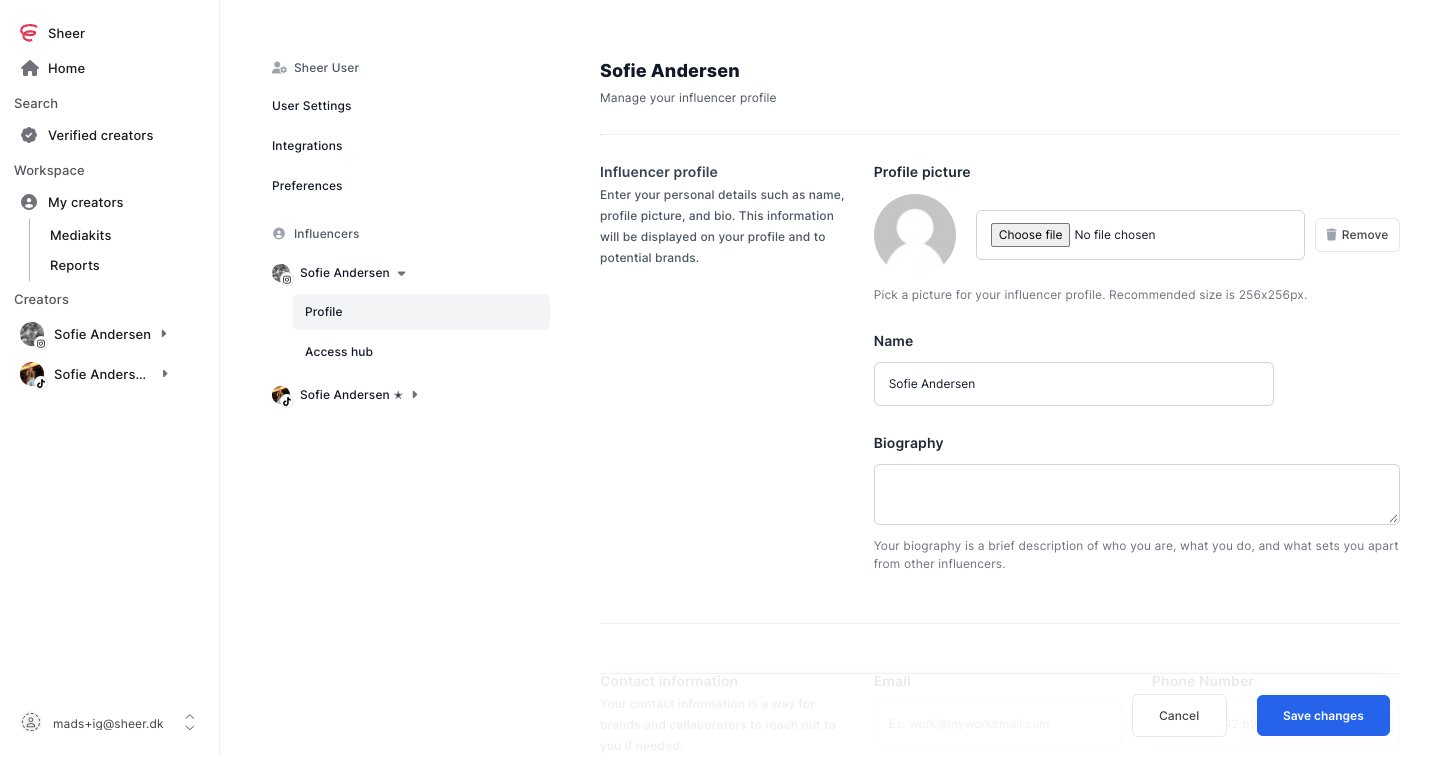
- Profile picture, name and biography. This is what brands see first. A 256 by 256 pixel picture works best.
- Contact information. The email and phone number brands should use to reach you about collaborations.
- Categories. Pick the content categories that best describe your niche. Brands filter by these.
- Price list. Your starting prices for collaborations. You can always negotiate from there.
Your profile is complete. You can come back and update it at any time.
Next steps
Create your own mediakit
A live-updating mediakit to share with brands.
Create your own report
Report on a collaboration with live numbers.