

Why this happens
When you connect with Instagram login, Instagram asks you to approve two permissions. One of them, Access and manage insights, has a toggle. If it’s off, Sheer can see your profile and posts but none of your stats. Sheer only learns which permissions you granted at the moment you connect. So after turning the toggle on, you also need to reconnect from Sheer.Fix it
1
Open Instagram's Apps and websites page
On your computer, go to instagram.com/accounts/manage_access and make sure you’re on the Active tab. Find Sheer in the list.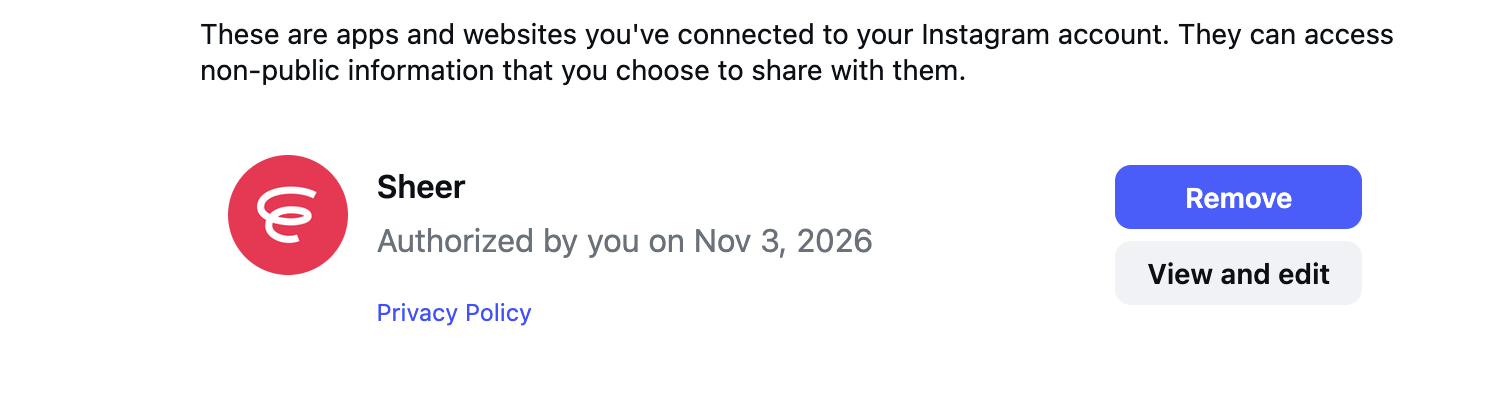
2
Click View and edit and turn on Manage insights
Under Info you’re sharing with this app, switch Manage insights of a business to on, then click Save.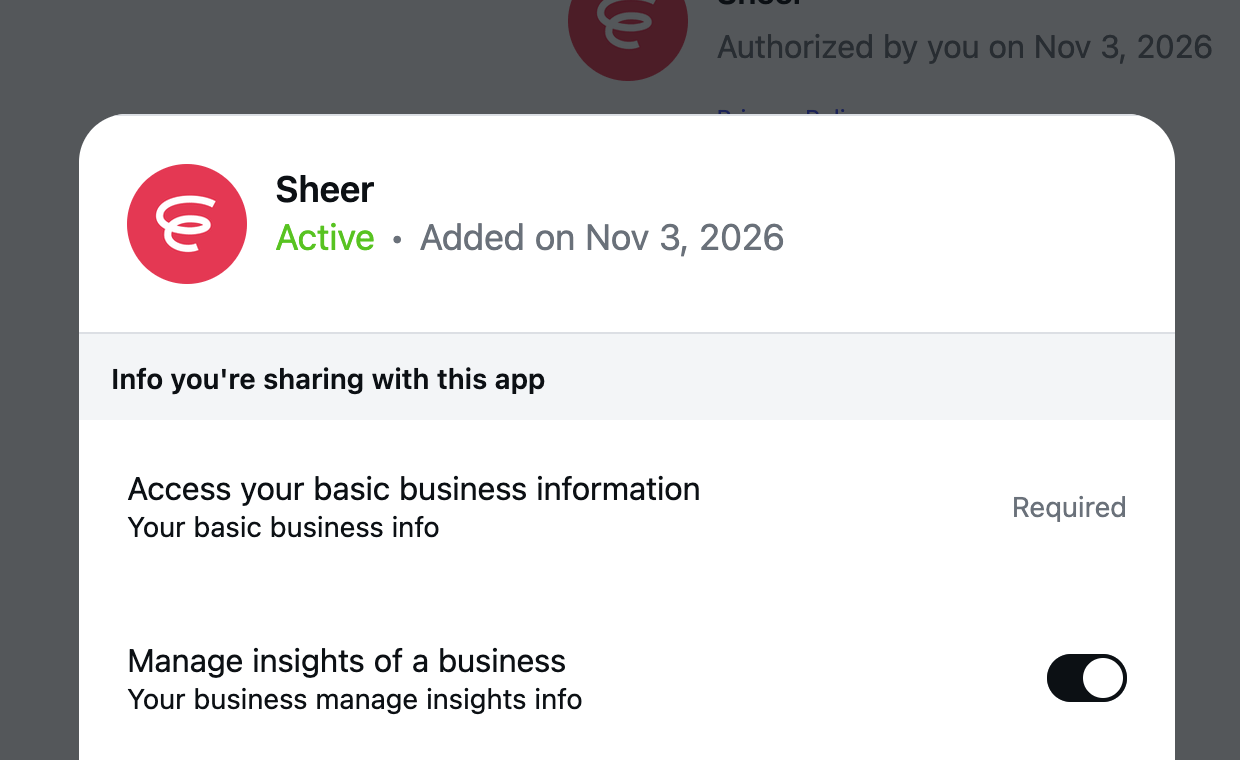
3
Reconnect from Sheer
Go to your Integrations page and click Connect with Instagram. Log in with the same Instagram account, keep both permissions on, and click Allow. This tells Sheer about the permission you just turned on.
Still showing Missing permissions? Remove Sheer and start over
Sometimes Instagram keeps the old permissions even after you save. Removing Sheer from Instagram and connecting again from scratch clears it.1
Remove Sheer on Instagram
Back on instagram.com/accounts/manage_access, click Remove next to Sheer and confirm.
2
Connect again from Sheer
On your Integrations page, click Connect with Instagram. This time Instagram shows the full permission screen again. Keep both toggles on and click Allow. See Connect Instagram for the full flow.
Removing Sheer on Instagram doesn’t delete anything on Sheer. Your profile, mediakits and reports stay where they are and start updating again as soon as you reconnect.
How to know it worked
On your Integrations page, the badge next to your Instagram account changes to Connected. Your stats appear within a few minutes.Still not working?
- Connected through Facebook instead? Permissions live on Facebook, not Instagram. Reconnect with Facebook and keep every permission enabled.
- Badge says Connected but stats are still empty after a day. Email support@usesheer.com with your Instagram username.